- The view rectangle is the part of the map that is visible to the user.
- The rectangle is tracked by the center point of the view, together with the width and the height of the visible component.
- The view state is used to keep track of the center coordinates of the map, together with the current scale.
- This view state is necessary, in order to 'remember' the last map view the user had when navigating away.
- It restores that view when the map is loaded again.
- The view rectangle and the view state together determine which elements are visible.
- They also define how the map behaves when the user pans, zooms, or interacts with the map.
- When the user pans or zooms, the view state is updated with the new center coordinate and the new scale.
- When the browser window or surrounding layout changes size, the app keeps the same center coordinate and scale.
- Instead, it updates the width and height of the view rectangle.
- This keeps the map centered while preserving the stored view state.
- When the left or right toolbar changes size, the map may appear to pan slightly.
- This effect is caused by the fixed center coordinate and the changed size of the view rectangle.
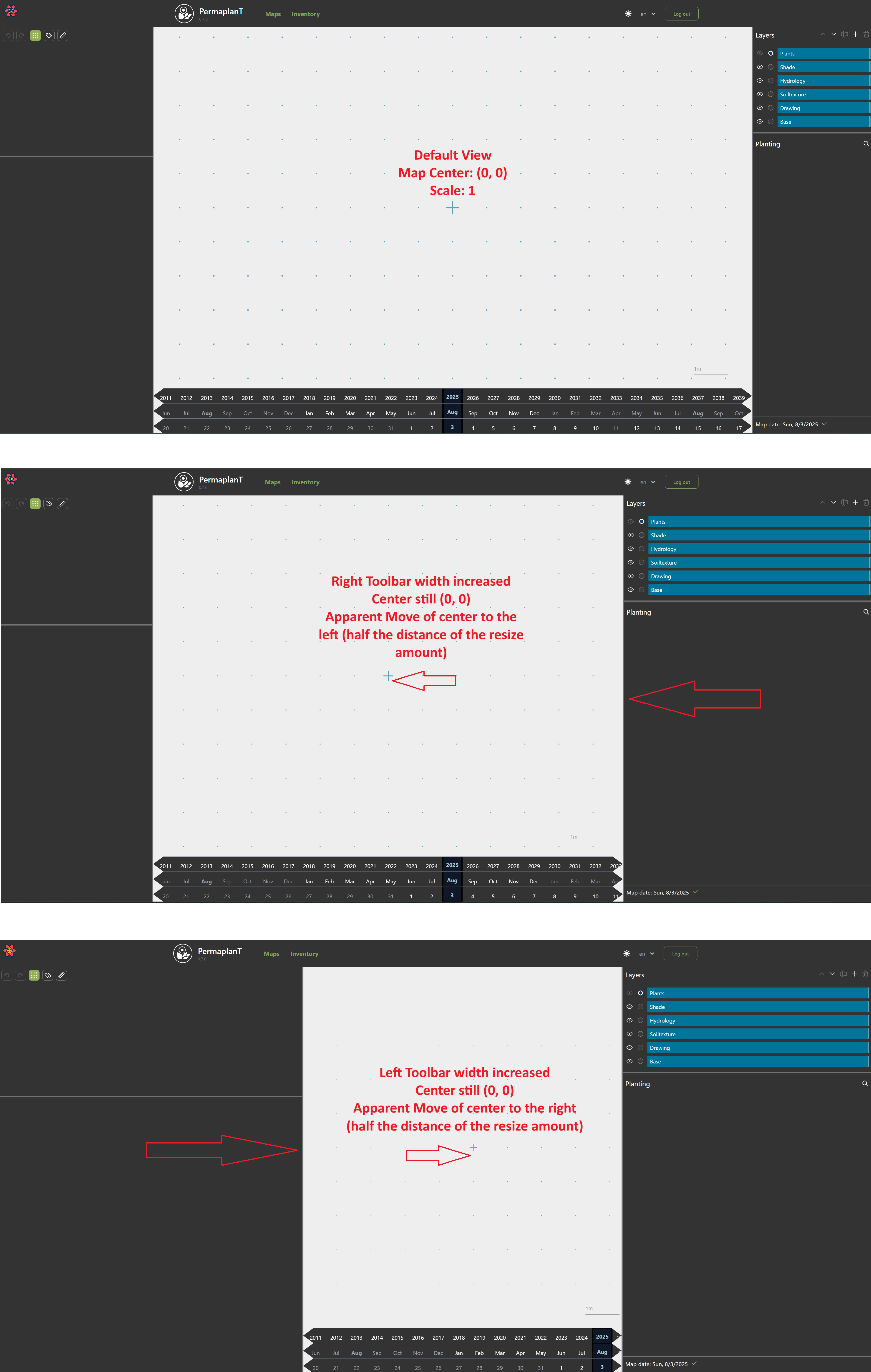
- When a map has no saved view state, the default view is centered at
(0, 0).
- The default scale is
1.
- The width and height of the view rectangle depend on the size of the map element in the browser.